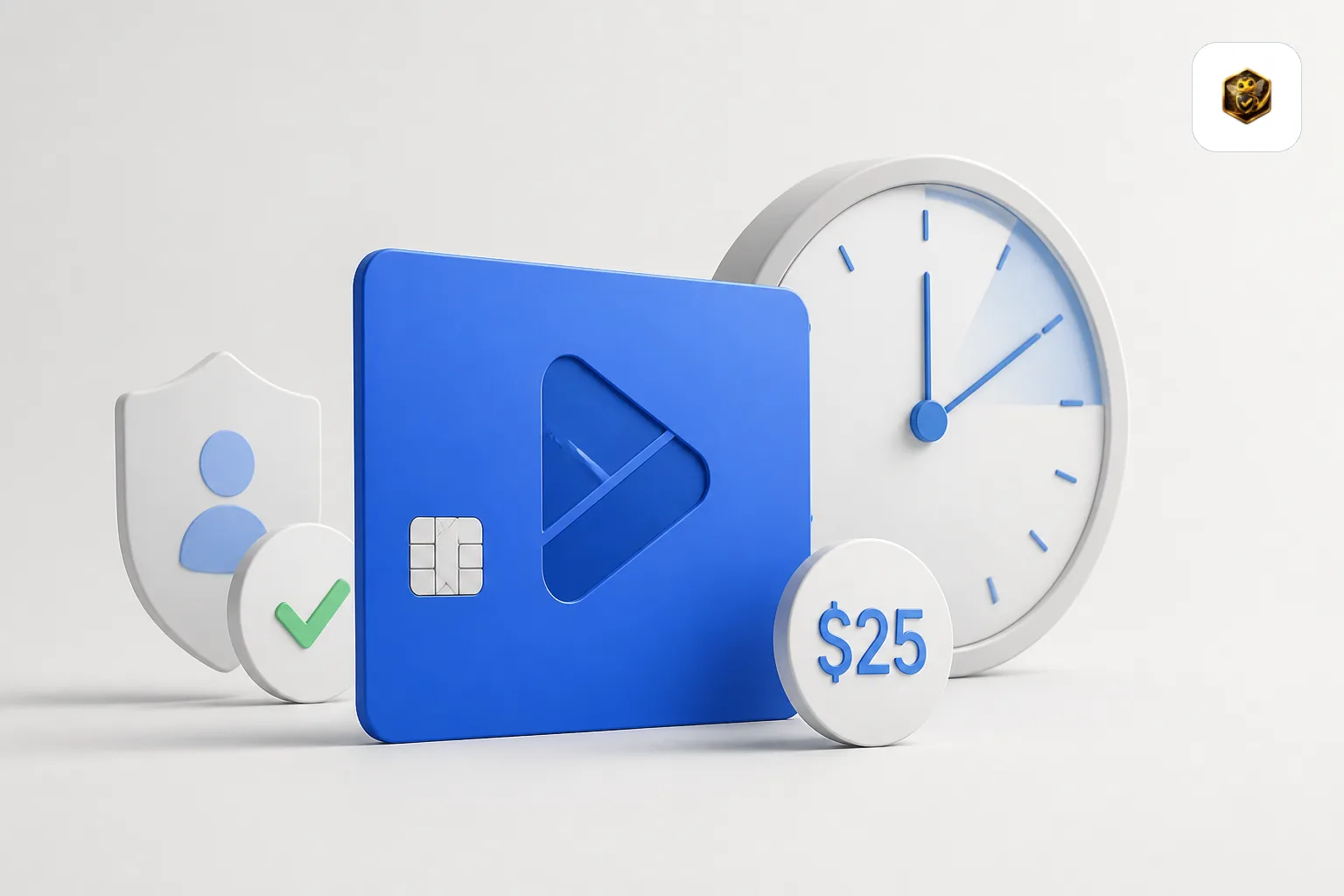
Google Play Console Registration Fee 2026: $25 Cost and Verification Time
The Play Console registration fee is a one-time $25. What it covers, what it does not, and how long identity, device, and organization verification take now.
Need testers who stay active for all 14 days?
TesterBee matches you with 12 real Android testers in under 24 hours. Refund if Google rejects you over tester engagement.
On this page
- 01What the registration fee actually covers
- 02Is the $25 one-time, or does it come back every year?
- 03The order Google actually requires
- 04How long does Google Play Console verification take?
- 05What the $25 does not cover
- 06Common verification rejections and how to prevent them
- 07What changed on September 30, 2026
- 08Frequently Asked Questions
- 09Check this against Google
- 10Sources
The Google Play Console registration fee is a one-time $25 charge. You pay it when you create your developer account, it does not recur, and Google charges no per-app or annual fee on top of it. That part is simple, and it is where most guides stop.
Verification is the part that costs you weeks. Before your account can publish anything, your identity has to clear, you have to prove you own an Android device, and — if you registered as an organization — the legal name and address on your account have to match your Dun & Bradstreet profile. Google publishes a firm turnaround for some of those steps and says nothing about others. That silence is why developers keep searching for how long verification "really" takes.
This page separates the two. The fee is fixed and documented. The verification timeline is documented in places and genuinely absent in others, so we mark every claim with its source rather than filling the gaps with a confident guess.
Quick Answer
Google charges a one-time $25 registration fee to create a Play Console developer account. It is not recurring and does not scale with how many apps you publish. The variable part is verification: Google publishes a 7-days-or-less review window for production access and up to 5 days for payment-method verification, but publishes no fixed turnaround for identity verification. Device verification is effectively instant once you scan the QR code and confirm inside the Play Console mobile app.
Key Takeaways
- The registration fee is $25, charged once at signup. No renewal, no per-app fee
- Google's own signup order is: pay the fee, choose account type, verify identity, then complete testing and device verification
- Identity verification must clear before phone and email verification can complete
- Device verification is mandatory for new personal accounts and is done through the Play Console mobile app
- No published turnaround exists for identity verification. Google publishes timeframes only for payment verification and production access review
What the registration fee actually covers
Developers often read "registration fee" and assume it buys access to publishing, reviews, or support. It buys one thing: a Play Console developer account tied to a verified identity. Everything else — app reviews, closed testing, production access review, Play Store distribution — is included at no additional charge, but none of it is accelerated by paying more.
Here is the complete picture of what Google charges and does not charge for a new Android app in 2026.
| Item | Cost | Recurring? |
|---|---|---|
| Play Console developer registration | $25, one-time | No |
| Publishing an app | $0 | No per-app charge |
| Account renewal | $0 | No renewal fee documented |
| Closed testing testers | $0 from Google | You recruit them or pay a service |
| Domain, hosting, backend, tooling | Your own costs | Not a Google charge |
Google publishes this
Two details worth knowing before you type in a card number. Google accepts credit and debit cards — Mastercard, Visa, American Express, Discover (United States only), and Visa Electron outside the US — and prepaid cards are not accepted. Your confirmation email is the only receipt you will get: Google's support team cannot issue registration receipts or invoices, and your transaction history lives in GPay rather than in Play Console.
Is the $25 one-time, or does it come back every year?
One-time. Google's registration flow lists the fee as a single step during signup, not as a subscription or an annual renewal, and no renewal fee appears anywhere in the account documentation. There is also no per-app charge, so whether you publish one app or twenty, the Google-side cost stays at $25.
The confusion usually comes from two places. First, developers conflate the one-time registration fee with the recurring cost of running an app, which is real but paid to other people — hosting, backend services, or a testing service. Second, developers who monetize eventually see payment-method verification requirements and assume a second fee is coming. It is not. Verification is free; it just has a clock attached.
Not documented
Whether the $25 registration fee is refundable is not something Google states in the account setup documentation we reviewed. Treat it as non-refundable unless Google tells you otherwise in the signup flow for your country.
The order Google actually requires
Most verification problems are sequencing problems. Google lists six steps in the account setup flow, and step five cannot start until step three has cleared — a detail that catches out developers who try to verify their phone number on day one.
- Sign up for a Play Console developer account with your Google account.
- Accept the Developer Distribution Agreement.
- Pay the registration fee.
- Choose an account type — personal or organization. This decision is hard to reverse and changes your entire verification path, so it is worth reading our breakdown of organization vs personal Play Console accounts before you click.
- Verify your developer identity. Personal accounts verify legal name and address; organization accounts additionally verify the business identity against Dun & Bradstreet.
- Meet testing and device verification requirements. New personal accounts must prove access to a real Android device before the app can go live, and must complete the 12-tester, 14-day closed test before applying for production access.
Google is explicit about one dependency that developers miss: phone number verification is blocked until identity verification, device verification (for individuals), and website verification (for organizations) are complete. If your phone verification button appears dead, this is almost always why.
How long does Google Play Console verification take?
There is no single number, because "verification" is four separate checks with four separate clocks. Google publishes firm windows for two of them and publishes nothing for the others. Here is the honest split.
| Check | What Google publishes | Source status |
|---|---|---|
| Identity verification (personal + organization) | No fixed turnaround stated in the account documentation | Not documented |
| Email verification | Immediate — 6-digit code by email | Documented |
| Phone verification | Immediate — code by SMS or voice call, once prerequisites clear | Documented |
| Device verification | Immediate — QR code, Play Console mobile app, tap Verify | Documented |
| Payment method verification (only if you monetize) | Up to 5 days | Documented |
| Production access review (after the 14-day test) | Usually 7 days or less, occasionally longer | Documented |
The one clock Google leaves blank
Identity verification is the step everyone wants a number for, and the one Google does not put a number on. What the documentation does say is suggestive rather than definitive: Google tells developers they can start verification 60 days before their individual deadline, which implies the process is measured in days rather than minutes, and the existence of a deadline implies it can be missed.
What we can say from onboarding developers onto Play Console at TesterBee is a pattern, not a published figure: the developers who get stuck are almost never stuck because verification is slow. They are stuck because a document was rejected and the resubmission put them back at the end of the queue. Getting the details right the first time is what removes the uncertainty — the actual wait is largely out of your control.
TesterBee platform pattern
Device verification: the step with no waiting at all
Since early 2024, new personal accounts must confirm they have access to a real Android device. Google's reasoning is stated plainly: developers who can test on a real device produce better apps. The process is short.
- Sign in to Play Console on the web as the account owner.
- Find the "Verify that you have access to an Android mobile device" task on the Home page.
- Scan the QR code to install the Play Console mobile app on the Android device you want to use.
- Sign in as the account owner, select the developer account, tap Verify.
You do not need a device that matches the phone number you registered with, and Google does not require you to keep that device forever. If you are a solo developer on iOS with no Android hardware, this step is a genuine blocker — borrow a device or buy a cheap one, because there is no documented way around it.
Organization verification: where D-U-N-S matching bites
Organization accounts require a D-U-N-S number from Dun & Bradstreet, plus an organization website, a verified organization phone number, and a named contact. The failure mode is not slowness — it is a mismatch. Google requires that the legal name and address in your Google payments profile match your Dun & Bradstreet profile exactly.
When they diverge, Play Console shows a banner reading "Your organization name or address is no longer verified" and gives you a deadline to fix it. Ignoring that deadline restricts the account, which removes your apps from Google Play. Only the account owner can approve the correction, and it is done through Google Payments Center rather than Play Console itself. If your business has ever been renamed, moved, or re-registered, check this before you need it.
What the $25 does not cover
The registration fee is the smallest cost in the process, and treating it as the whole budget is how developers end up surprised. Two costs sit downstream of it, and only one of them is about money.
The first is time. Verification plus the 14-day closed test plus production access review is measured in weeks, and no amount of budget compresses the 14 days — Google counts continuous opt-in, not effort. We break the full sequence down in how long closed testing actually takes.
The second is testers. Google charges nothing for the 12 testers, but someone has to find them and keep them opted in for 14 consecutive days. Across 1,500+ campaigns analyzed at TesterBee, the most common reason a first attempt fails is not the test itself — it is testers dropping below the minimum, which is why the first-attempt rate across all campaigns sits at 72% while a second attempt, with the dropout problem fixed, reaches 91%. Those two numbers together produce our 98.4% total success rate.
TesterBee platform data
If you would rather not recruit testers yourself, that is the one part of this process you can pay to remove. Our tester plans start at $14.99 and cover the full 14 days, and you can see the full picture on how TesterBee matches testers.
Common verification rejections and how to prevent them
Rejections are rarely philosophical — they are mismatch errors. These are the four we see most often.
- Name mismatch. The legal name on your payments profile must match your identity document character for character, including middle names. Google cross-references this field, so a shortened first name fails.
- Address mismatch. The address must match too, and PO boxes are rejected. If your utility bill is in someone else's name, you need a document that is actually yours — a rental agreement or a government tax document sometimes works, and acceptance varies by country.
- Organization name using a trading name. Use the exact legal name on the incorporation documents, not the brand name you trade under. This is the single most common organization rejection.
- Expired or illegible documents. Clear photographs, no glare, no cropping, current documents only. A rejected document resets your position in the queue.
Observed pattern
What changed on September 30, 2026
Verification requirements are still moving. Google's Play Console Requirements policy notes that apps must be registered in Play Console to satisfy Android developer verification requirements, and that roughly 99% of apps were registered automatically — but the remainder need to be registered manually or they face global removal from Google Play. Google has also published a preview of an updated requirements article taking effect September 30, 2026.
The practical takeaway is dull but important: check your Play Console Home page for outstanding registration and verification tasks rather than assuming you are covered because your account works today. We track the adjacent deadline separately in our Google Play developer verification guide, and the relationship between the two requirements in developer verification vs closed testing.
Frequently Asked Questions
How much is the Google Play Console registration fee?
$25, charged once when you create your developer account. It is not recurring, there is no annual renewal, and Google does not charge per app. Prepaid cards are not accepted for payment, so use a credit or debit card.
How long does Google Play Console verification take?
It depends which verification you mean. Email and phone verification are immediate once their prerequisites are met, and device verification takes minutes. Google publishes a maximum of 5 days for payment-method verification and states that production access review usually takes 7 days or less. Google publishes no fixed turnaround for identity verification, which is the step with the most variable wait.
Is the $25 registration fee refundable?
Google does not state a refund policy for the registration fee in its account setup documentation. Treat it as non-refundable and assume you lose it if you abandon the account.
Do organization accounts pay the same fee as personal accounts?
Organization accounts follow the same registration flow, which includes the registration fee step, and they carry additional requirements a personal account does not: a D-U-N-S number, a verified organization website, an organization phone number, and a named contact. The extra cost here is administrative effort rather than a higher Google fee.
Can I publish apps while my verification is pending?
Not to production. You can create the account, work on your store listing, and prepare builds, but publishing is gated on verification clearing. Because identity verification is also a prerequisite for phone verification, a pending identity check stalls more of the setup than developers expect.
Do I need an Android device to verify my developer account?
Yes, if you have a new personal account. Since early 2024, Google requires new personal accounts to confirm access to a real Android device through the Play Console mobile app before the app can be made available on Google Play. Organization accounts do not go through the same device verification step.
Does the $25 fee include testing services?
No. Google charges nothing for the 12 testers and provides no way to pay Google to supply them. Recruiting and retaining testers is entirely your responsibility unless you pay a third-party service to handle it. That is a separate cost from the registration fee and from anything Google charges.
Does Google take a cut of what my app earns, on top of the $25?
Only if money is spent inside the app. The $25 is a registration fee, not a revenue-share licence: there is no annual charge after it, and no fee while you earn nothing. Spending inside an app is what carries a fee. Google's Service fees page states that 97% of developers distribute at no charge, and that among the developers who are subject to a service fee, 99% are eligible for 15% or less. The rate now depends on where your users are: for Australia, the EEA, Japan, the UK and the US Google prices by install, effective 30 June 2026 for the EEA, UK and US and 30 September 2026 for Australia and Japan — auto-renewing subscriptions at 10% plus a 5% billing fee, other transactions at 20% plus a 5% billing fee from new installs and 25% plus a 5% billing fee from existing installs (20% for external web links). In the remaining markets the published table is still 15% on the first $1M of earnings each calendar year and 30% above that, with 15% on auto-renewing subscriptions. A free app that sells nothing sits outside all of it.
Check this against Google
Every documented claim above comes from these pages. If Google changes something, these are where it will change first.
- Get started with Play Console — the six-step registration flow, including the fee step and device verification.
- Required information to create a Play Console developer account — what personal and organization accounts must supply, and the Dun & Bradstreet matching rule.
- Verify your developer identity information — verification prerequisites, including why phone verification is blocked until identity and device verification clear.
- Device verification requirements — why it exists and how to complete it.
- Registration payment methods and receipts — accepted cards, and why support cannot issue an invoice.
- App testing requirements for new personal developer accounts — the 12-tester rule and the 7-day production access review window.
- Play Console Requirements — the app registration requirement and the September 30, 2026 update.
- Service fees — both published service-fee tables, the regional rollout dates, and the 97% / 99% figures quoted in the FAQ above.
If the registration fee is the only cost you have budgeted, the 14-day testing requirement is the part that will surprise you. TesterBee exists to remove that specific problem — 12 real Android testers on physical devices, matched within 24 hours, staying opted in for the full period. See how it works or check current pricing.
Sources
The registration, payment and verification claims on this page are linked individually under "Check this against Google" above. The service-fee figures come from:
- Service fees (Play Console Help) — the install-based table for Australia, the EEA, Japan, the UK and the US, the 30 June 2026 and 30 September 2026 rollout dates, the remaining-markets table, and the 97% / 99% statements.
- Changes to Google Play's service fee in 2021 (Play Console Help) — the 15% tier on the first $1M of annual earnings and 30% above it.
- Understanding Google Play's lower service fees (Play Console Help) — how new-install and existing-install transactions are defined.

Senior full stack developer specializing in Laravel, React, and Firebase. Helped 1,300+ Android developers pass Google Play Closed Testing and publish apps. Expert in Play Console, production access, and Android app publishing.
Get 12 testers into your closed test in 24 hours
Matched Android testers who open your app every day of the 14-day window, so your production access review has real engagement to look at.
Start your closed testRelated articles

assetlinks.json SHA-256: Fix Play App Signing Mismatches
Play App Signing re-signs your app, so the fingerprint your keytool prints is not the one Android checks. Here is the SHA-256 to publish and how to verify it.
How Long Google Play Review Actually Takes in 2026
Google publishes a duration for only a few of its review clocks. Here is what it says for each one, plus the timing claims that have no Google source.

Target API Level Error in Play Console: How to Fix It (2026)
Google Play blocks submissions below API 36 from 31 August 2026. Find the target API level issue on Policy status, verify your bundle, use the extension.